
Guide / Email
Unibox
One inbox for every connected mailbox, with views and labels that surface the replies worth answering.
Where to find it
Sidebar → Inbox (at the top, above Email).
Why it matters
Replies are the point of cold email. The Unibox gathers them from every mailbox so nobody has to sign in to ten accounts, and its views sort the hot leads from the noise.
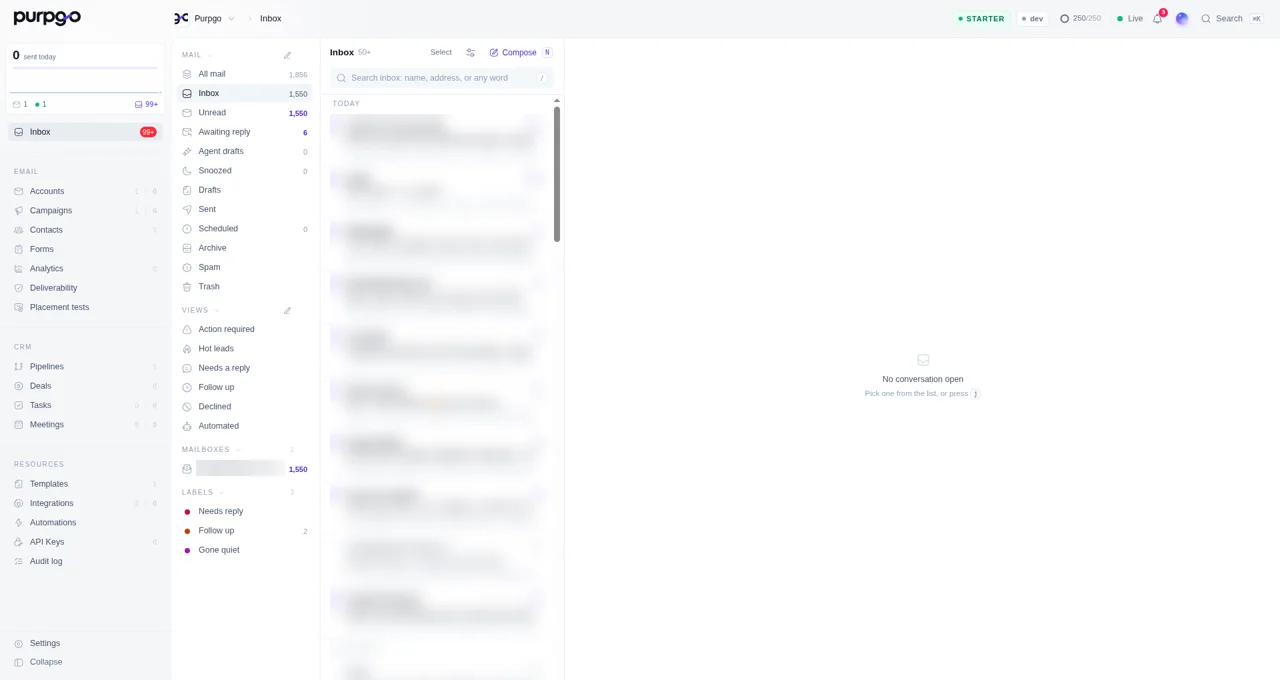
Mail, views, mailboxes and labels
The left column has your mail folders: All mail, Inbox, Unread, Awaiting reply, Agent drafts, Snoozed, Drafts, Sent, Scheduled, Archive, Spam and Trash.
Views slice the inbox by what needs doing: Action required, Hot leads, Needs a reply, Follow up, Declined and Automated. Below them you can narrow to a single mailbox, or to a label such as Needs reply, Follow up or Gone quiet.
Search across name, address or any word, and press Compose to write a new email. Pick a conversation from the list to read and answer it on the right.
Ready to try it? Open app.purpgo.com →