
Guide / Email
Campaigns
Build a sequence in four steps, choose who sends it and when, and launch only when it is ready.
Where to find it
Sidebar → Email → Campaigns. New campaign opens the builder.
Why it matters
Campaigns are how outreach scales: the right people, a short sequence, sent at a human pace from mailboxes that can take it.
The campaign list
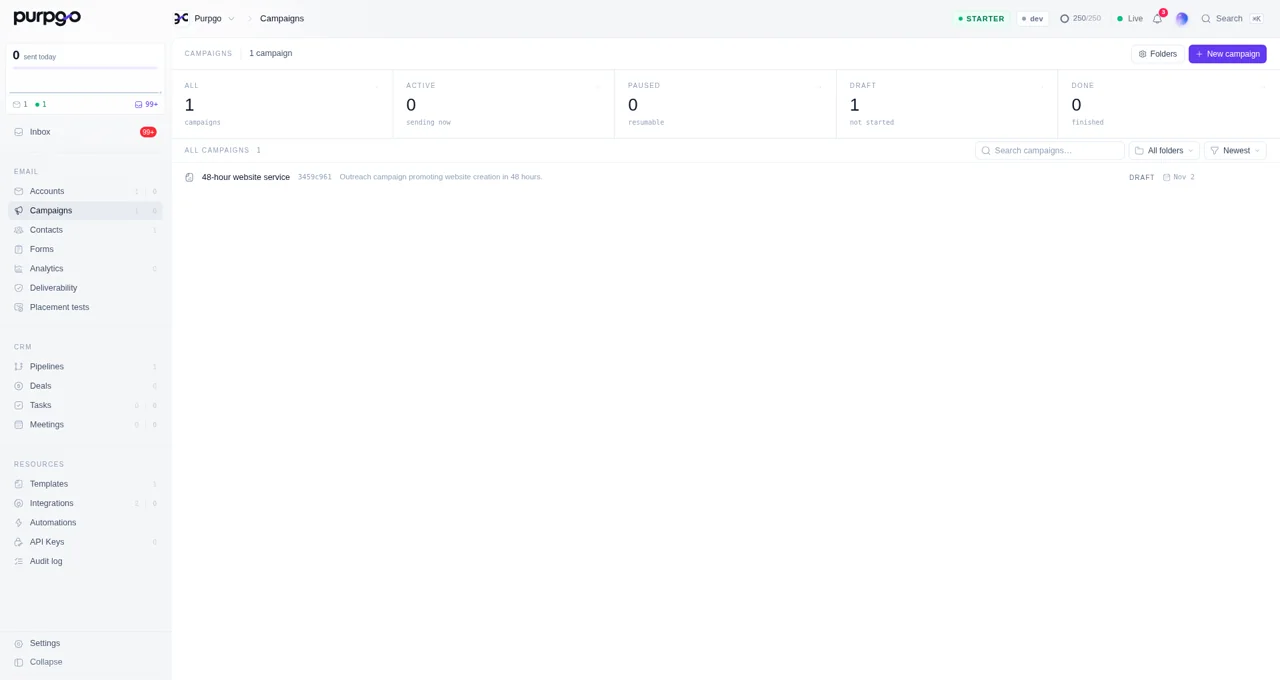
Counters show all campaigns, and how many are active, paused, in draft and done. Search, sort by newest, and group campaigns into folders.
Step 1: Leads
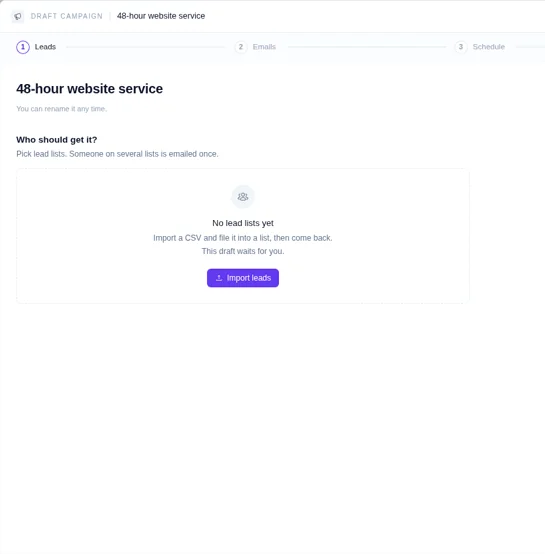
Name the campaign (you can rename it any time), then pick the lead lists that should get it. Someone who appears on several lists is emailed once. If you have no lists yet, Import leads brings in a CSV and your draft waits for you.
Step 2: Emails
Write what they will receive. Sequences with branches or action steps are edited in the full flow editor on the campaign’s Steps tab.
Step 3: Schedule
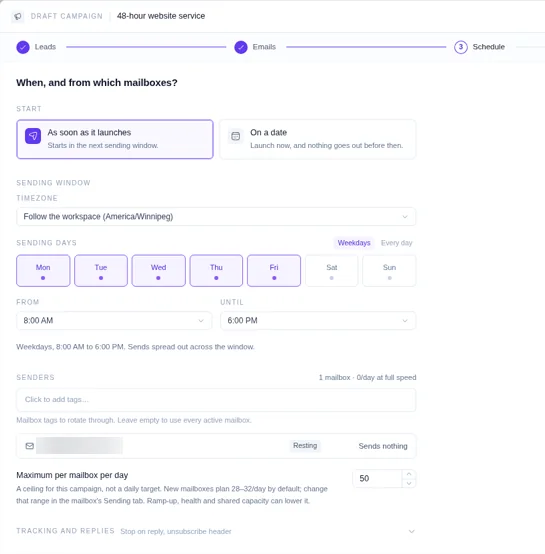
Start as soon as the campaign launches, or on a set date. Set the sending window: a timezone (or follow the workspace), the sending days and the hours. Sends spread out across the window rather than going out in one burst.
Choose senders by mailbox tag, or leave it empty to rotate through every active mailbox. Maximum per mailbox per day is a ceiling for this campaign, not a target; ramp-up, health and shared capacity can lower it. Tracking and replies options, including stop on reply and the unsubscribe header, sit at the bottom.
Step 4: Review
Review sums up leads, emails, schedule and senders, and flags anything missing. Save as draft, or Launch when it is ready. Everything can be changed later.
Ready to try it? Open app.purpgo.com →