
Guide / Email
Mailboxes and warmup
Connect the mailboxes you send from, see their health at a glance, and warm them up before they carry campaigns.
Where to find it
Sidebar → Email → Accounts. Click any mailbox to open its drawer.
Why it matters
Every email you send leaves through one of these mailboxes, so their reputation decides whether you land in the inbox. Accounts is where you add them, watch their health and control how hard they work.
The Accounts page
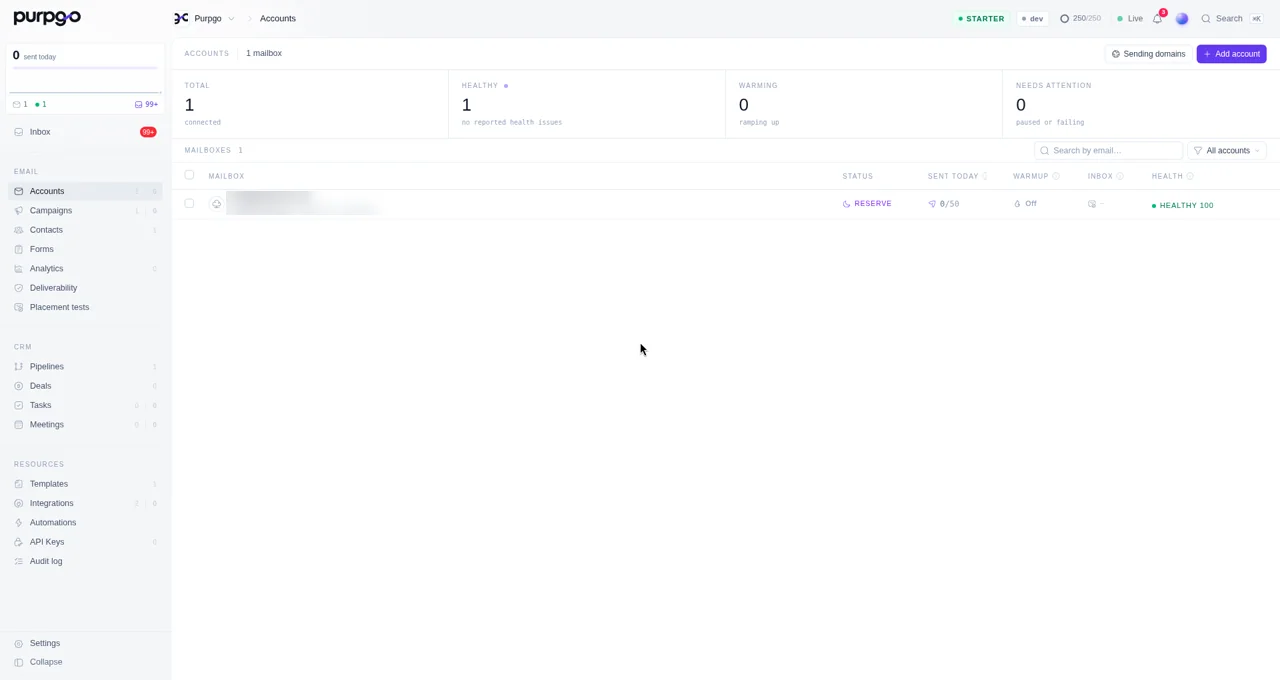
Four counters sit across the top: Total connected, Healthy, Warming (ramping up) and Needs attention (paused or failing).
Below them, every mailbox is listed with its status, how much it has sent today against its cap, whether warmup is on, and a health score. Search by email or filter the list, and use Add account to connect another. Sending domains opens the domain view.
Inside a mailbox
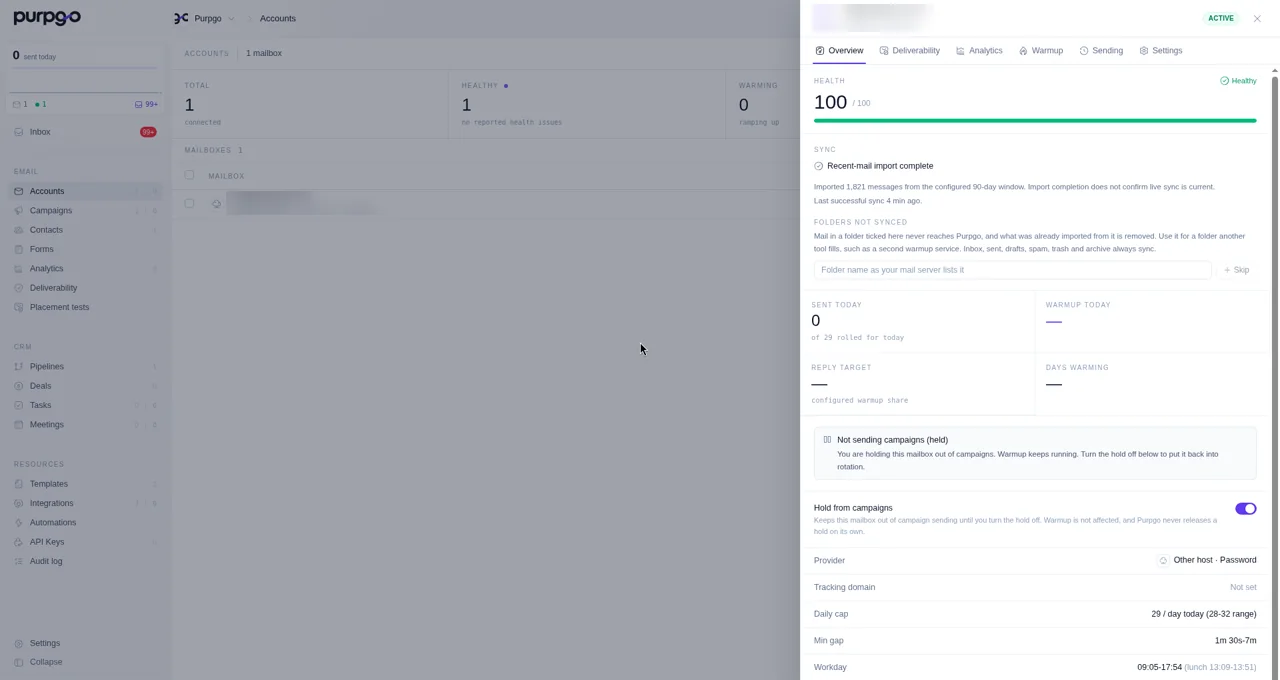
Click a mailbox to open its drawer. Tabs along the top cover Overview, Deliverability, Analytics, Warmup, Sending and Settings.
Overview shows a health score out of 100, the state of the mail sync (including how many messages were imported from the recent-mail window), sent today against today’s allowance, and the mailbox’s sending setup: provider, tracking domain, daily cap, minimum gap between sends and working hours.
You can list folders that should never sync, which is handy when another tool fills a folder. And Hold from campaigns takes a mailbox out of campaign rotation while warmup keeps running. Purpgo never releases a hold on its own.
Warmup
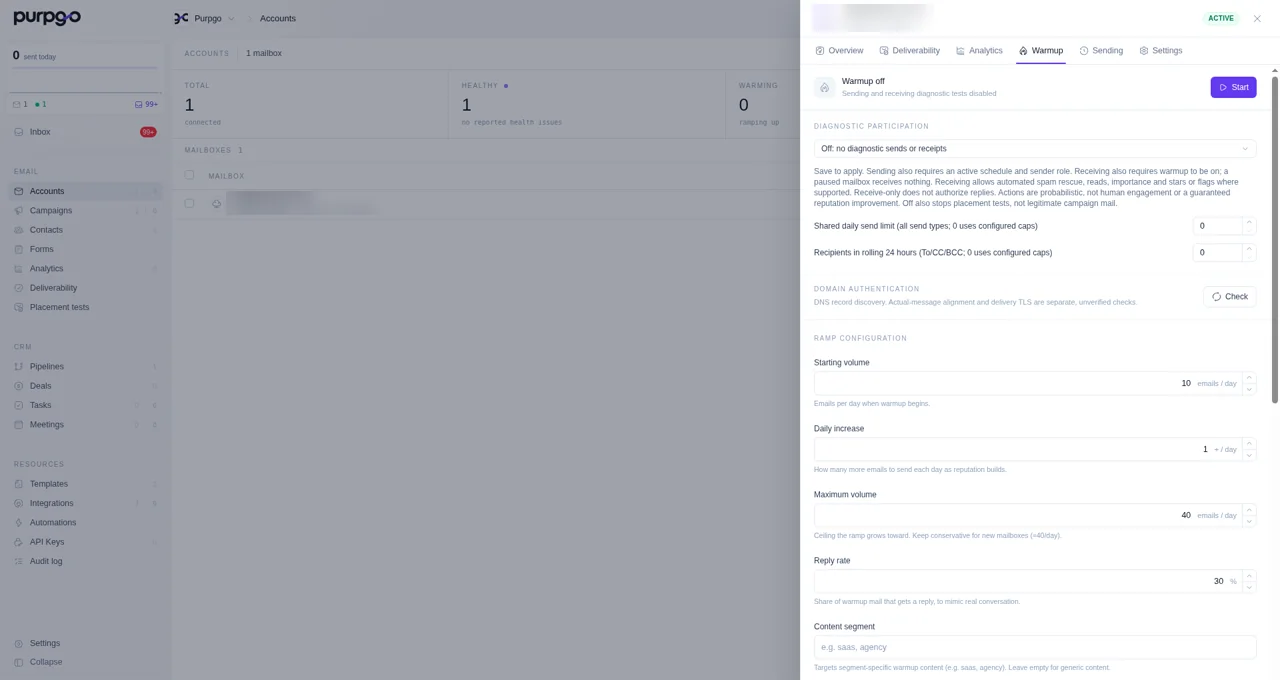
The Warmup tab is where you start and tune warmup for the mailbox. Press Start to switch it on.
Ramp configuration controls the pace: a starting volume (10 emails a day by default), a daily increase (1 a day), a maximum volume (40 a day, a conservative ceiling for new mailboxes) and a reply rate (30% of warmup mail gets a reply, so it reads like real conversation). An optional content segment, such as saas or agency, targets warmup content to your field.
Diagnostic participation decides whether the mailbox sends and receives diagnostic tests, with shared daily limits, and Domain authentication runs a DNS check on the spot.
Ready to try it? Open app.purpgo.com →