
Guide / Audience
Forms
Hosted lead-capture forms you can embed anywhere, with views, starts, submissions and conversion tracked for you.
Where to find it
Sidebar → Email → Forms. New form opens the editor.
Why it matters
Not every lead comes from a list. Forms turn website visitors into contacts that flow straight into Purpgo, ready for a sequence.
Your forms
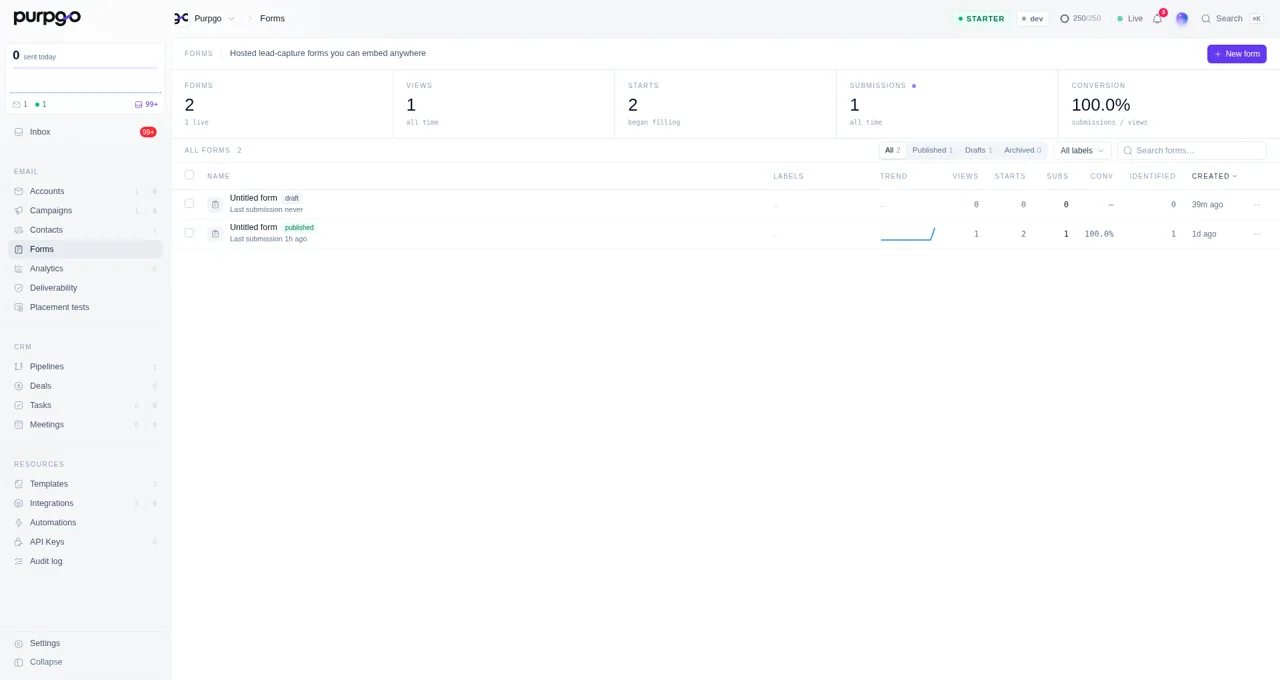
Counters track forms, views, starts, submissions and conversion (submissions over views). Each form shows its status, labels, a trend line, and counts for views, starts, submissions and identified visitors. Filter by Published, Drafts or Archived.
The form editor
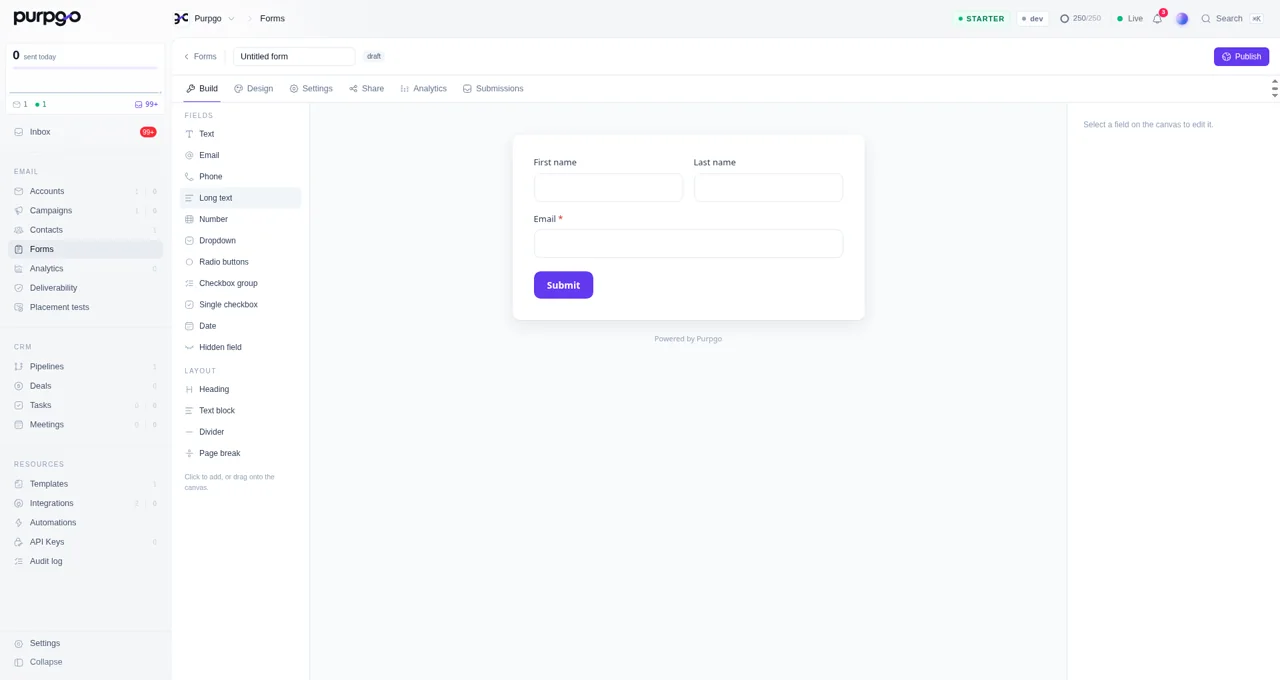
Build on the canvas by clicking or dragging fields: text, email, phone, long text, number, dropdown, radio buttons, checkbox group, single checkbox, date and hidden field. Layout blocks add headings, text, dividers and page breaks.
Tabs cover Build, Design, Settings, Share, Analytics and Submissions. Press Publish when it is ready.
Ready to try it? Open app.purpgo.com →